The Safe Guide to Filming Content in Cars
From GRWMs, storytimes to mukbangs, the car has become one of social media’s most popular filming locations. But while the content trend is booming, so is concern around mobile phone use behind the wheel. With in-car content becoming increasingly common across TikTok, Instagram and YouTube, understanding what’s safe - and what’s legal - is more important than ever. So if you’re creating content in your car, here’s how to do it safely and legally.
The Cazoo editorial team
Published on 10 October 2025 | 15 mins read

From GRWMs, storytimes to mukbangs, the car has become one of social media’s most popular filming locations. But while the content trend is booming, so is concern around mobile phone use behind the wheel. With in-car content becoming increasingly common across TikTok, Instagram and YouTube, understanding what’s safe - and what’s legal - is more important than ever. So if you’re creating content in your car, here’s how to do it safely and legally:
DO’s
Park legally before you film
Always park in a safe, legal space. Avoid stopping on the roadside, double yellow lines, hard shoulders or anywhere that could obstruct traffic.
Make sure the vehicle is fully stationary and safely parked with the engine off before you begin recording. Where possible, choose a quiet location such as a car park or residential street where you won’t disrupt traffic or pedestrians.
Turn the engine off
If the engine is running and you’re at the wheel, it’s still classed as driving according to UK law. Make sure you turn the engine off even if you get out of the car and leave it in neutral, because leaving a car running or ‘stationary idling’ on UK roads is also an offence.
Switching the engine off removes any risk of being considered “in control” of a moving vehicle.
Check your surroundings
Make sure your number plate isn’t visible, your home address isn’t in the background and other people’s privacy is respected.
Be mindful of reflections in windows and mirrors, which can unintentionally reveal personal details.
It’s also important to be aware of passers-by or other road users if you’re exiting your vehicle at any point or filming in or around a parked car – it’s always best to find a quiet area, preferably off public roads.
Use a secure mount or tripod
Even when parked, avoid holding the phone. Using a dashboard mount or a specialised car suction tripod ensures your shot is stable and keeps your hands free for your "Get Ready With Me" or mukbang. A stable setup will also improve the quality of your footage by reducing shaking or movement.
Choose cars with features that make filming easier
If you regularly film content in your car, certain features can make the setup much easier — particularly natural lighting, clean interior backgrounds and good sound insulation.
Cars with large windscreens or panoramic roofs allow more natural light into the cabin, helping footage appear brighter and more flattering without the need for additional lighting equipment. Light-coloured interiors can also help reflect light around the car, making the frame feel clearer and less shadowed.
A clean dashboard layout and a quieter cabin can also improve audio quality and keep the focus on the creator rather than distracting background details.
Here are five popular models that could double as the perfect studio:
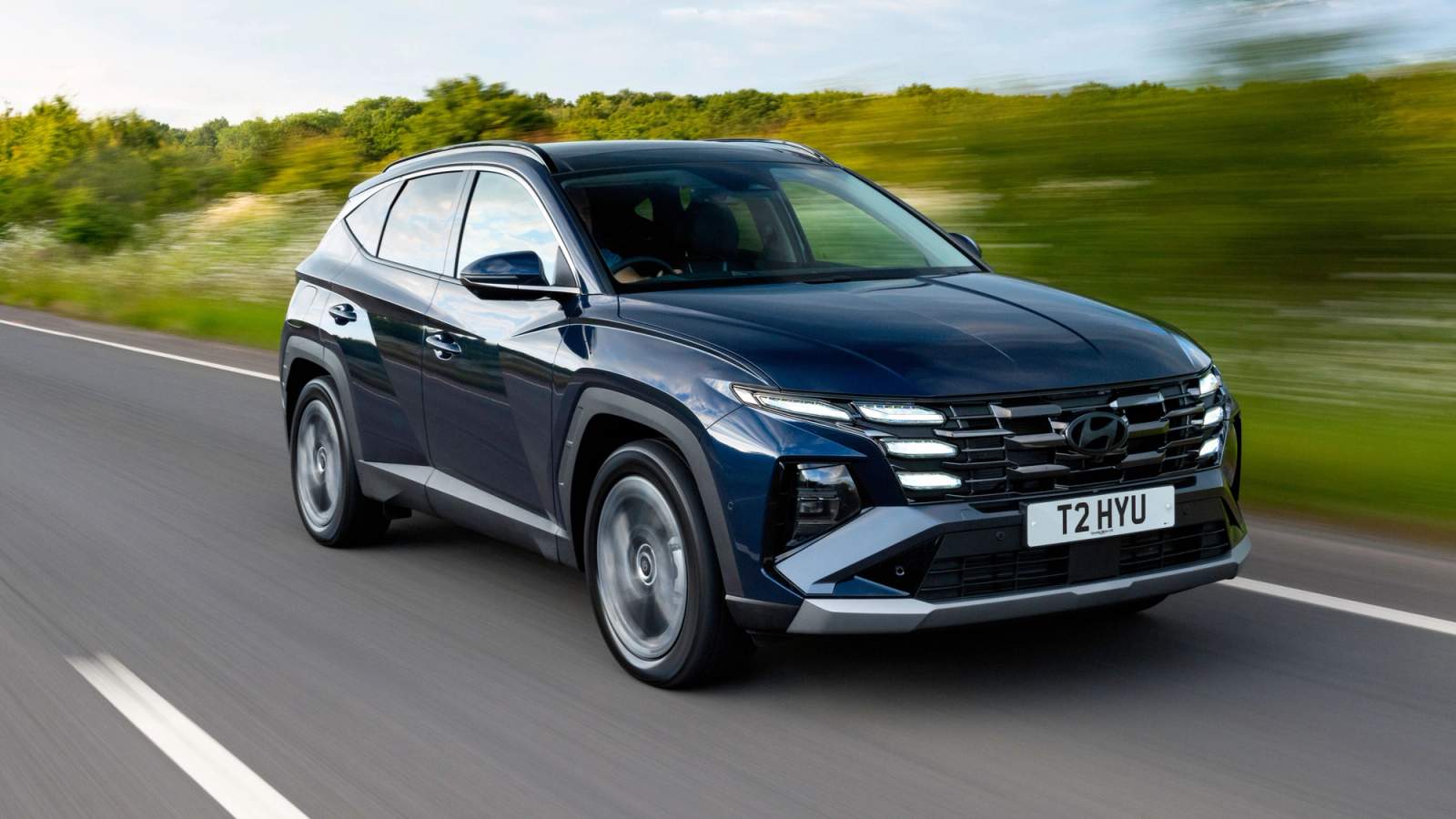
Hyundai Tucson
Best for lighting, with a large windscreen and panoramic roof covering the length of the cabin, the perfect wrap-around lighting
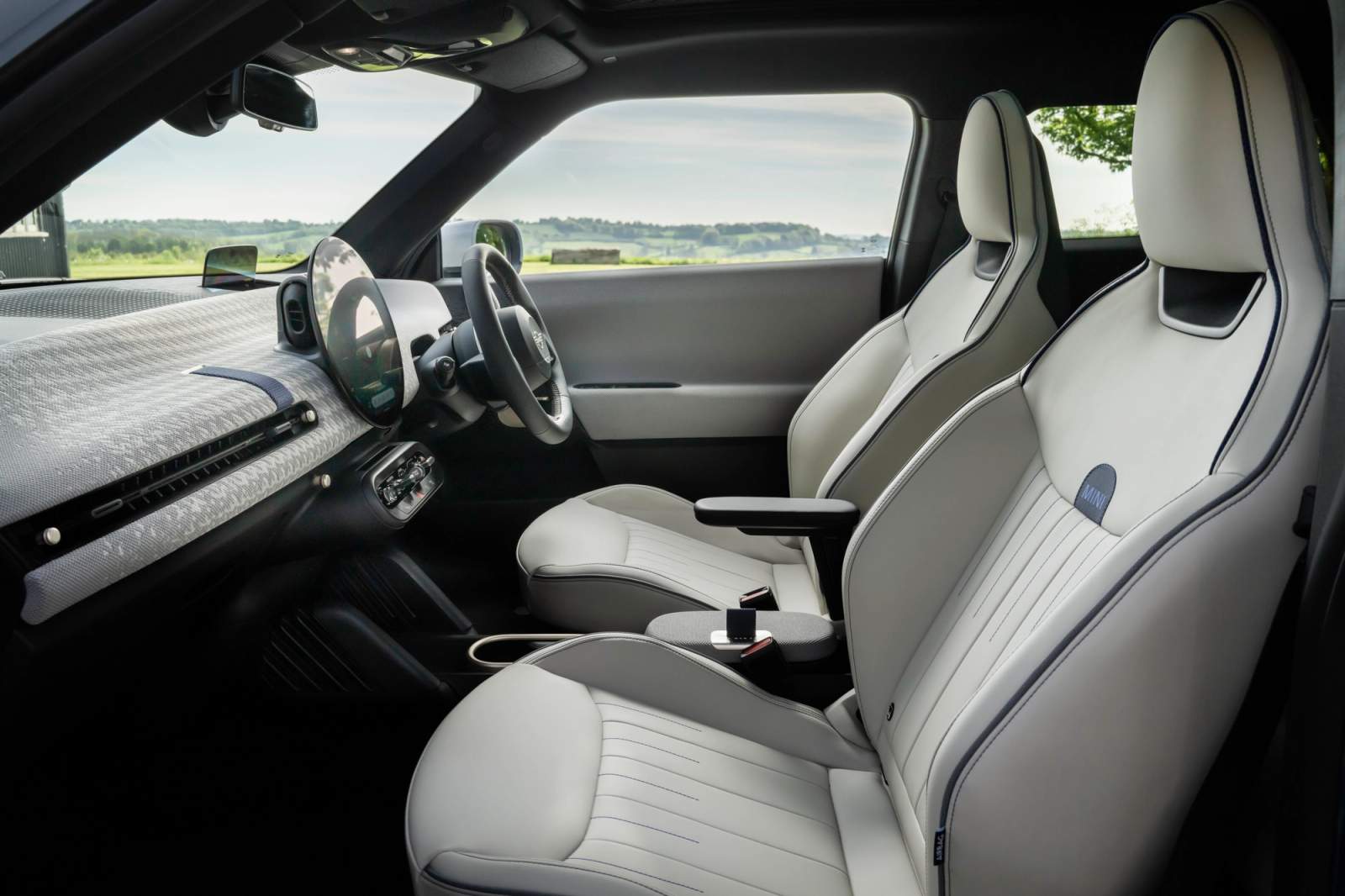
Mini Cooper
Best interior, with the latest models featuring a stylish but minimal design which won’t clutter your shot but offers plenty of space to mount lights or cameras on the dash
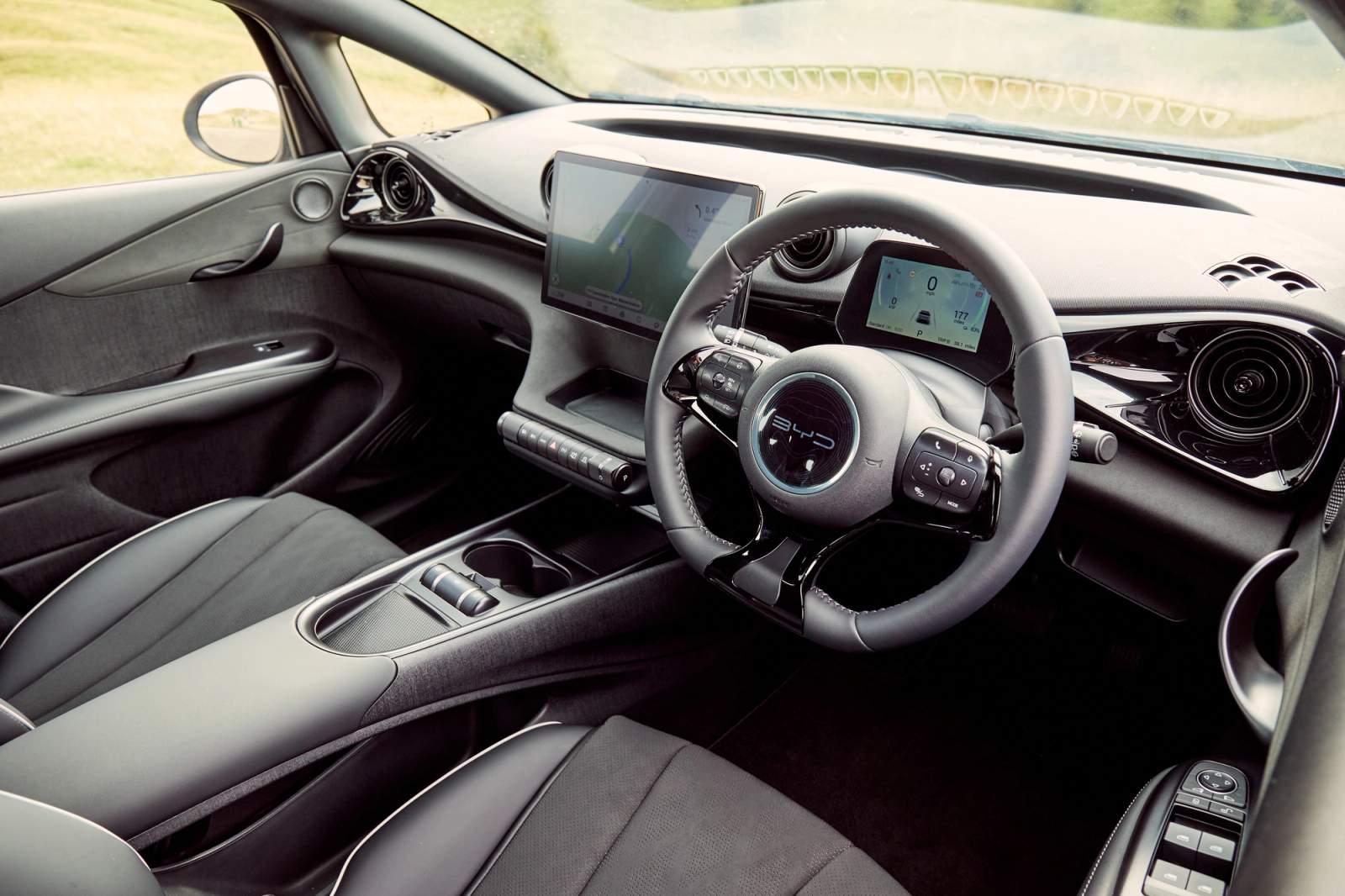
BYD Dolphin
Best infotainment, featuring a versatile screen which can be turned landscape or portrait and stay in complete control of your vehicle while shooting
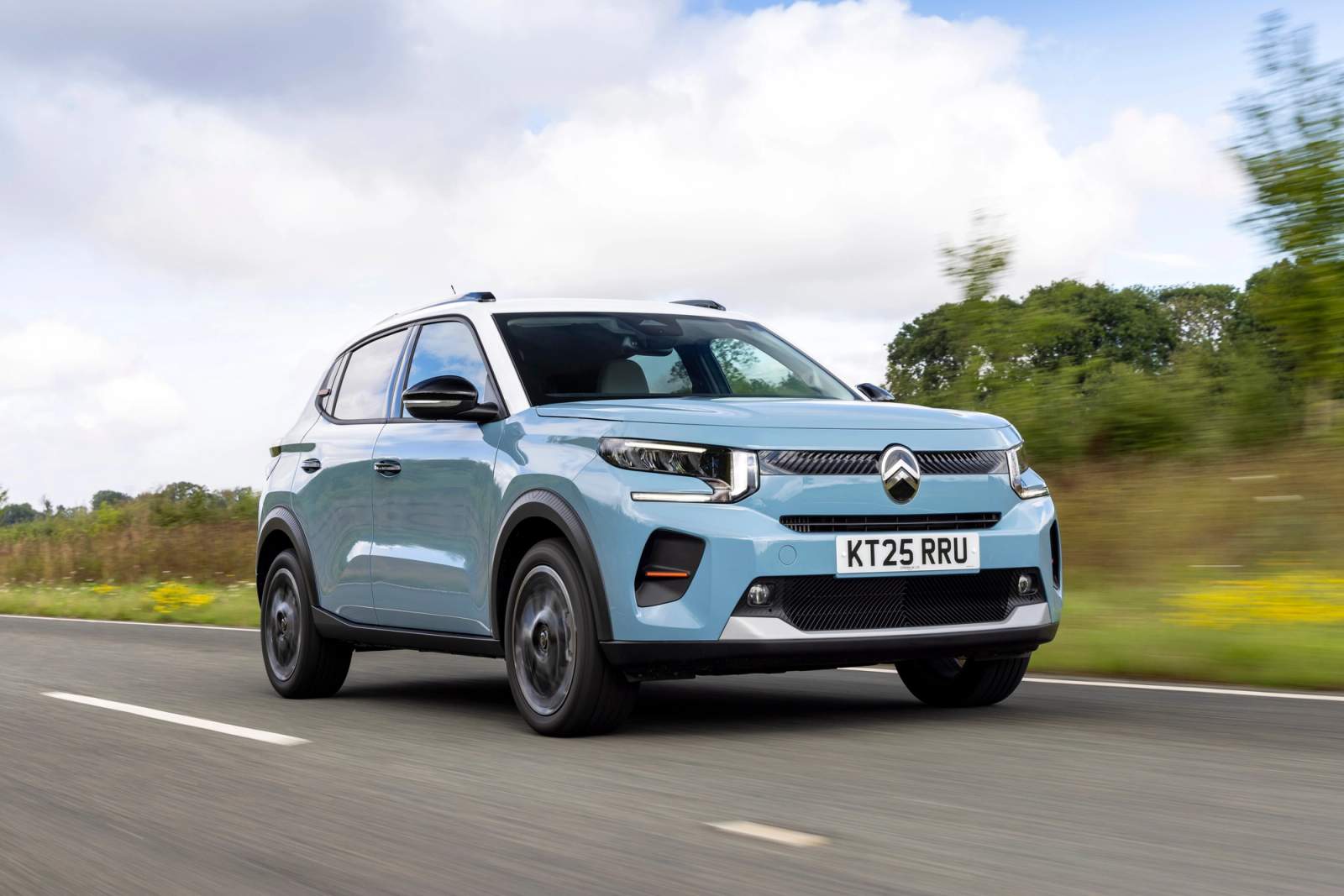
Citroen C3
Smoothest ride, allowing your passenger to film you without unfortunate bumps (and of course, without distracting the driver)
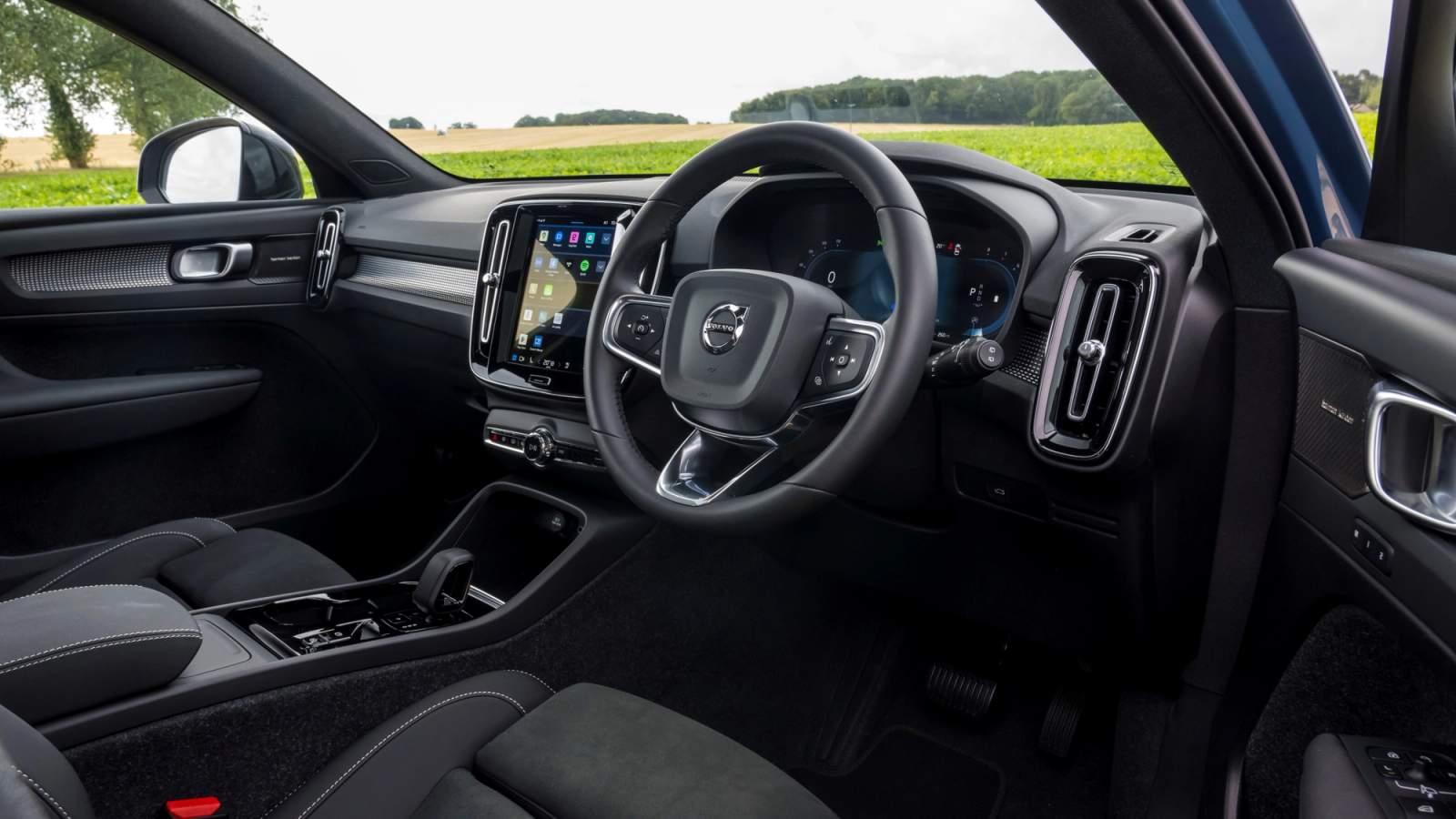
Volvo XC40
Quietest car, this model features great sound insulation, which will let you avoid unnecessary background noise
Honda E
Best tech sidekick, with the inclusion of a three-pin UK plug, perfect for keeping your laptop or phone charged and ready to go at any moment
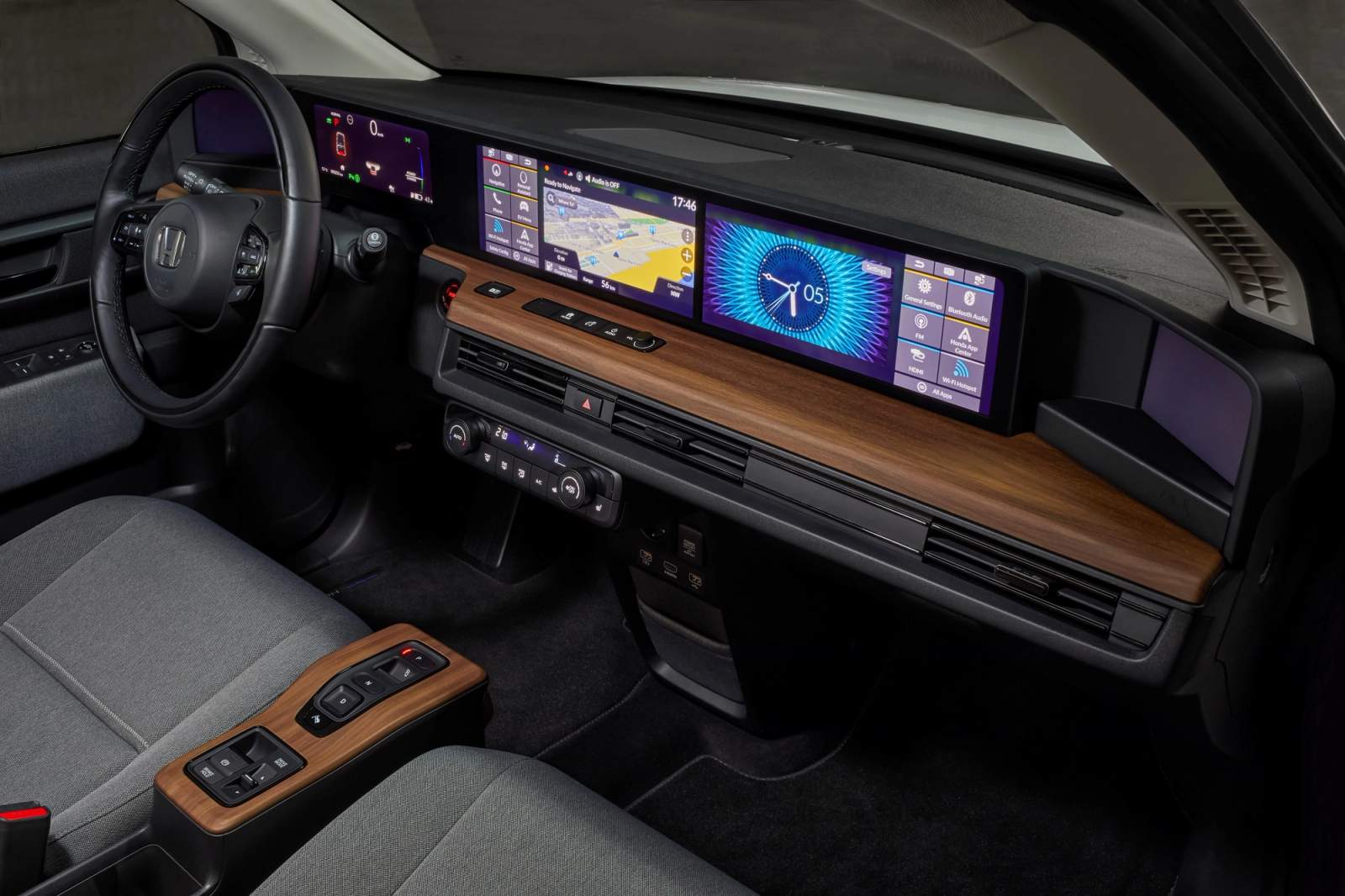
These models offer bright interiors, modern dashboards - making them popular choices for content creators filming when stationary.
If you're looking for a car with these features, you can explore a wide range of options on Cazoo’s marketplace.
DONT’S
DON’T film while driving
Do not film or record content while driving. It is illegal to use a hand-held mobile phone - or any hand-held device - while driving, even in slow-moving traffic or at temporary lights. Note: Even using a "hands-free" device can lead to a "Driving Without Due Care and Attention" charge if the police believe you are distracted by your filming.
Penalties can include:
- £200 fine
- 6 penalty points
- Licence revocation for new drivers
Even if you are not holding your phone, you can still be prosecuted if your driving is judged to be careless or dangerous due to distraction.
DON’T scroll – even for just a second
Looking at social media, checking notifications or reviewing footage while the engine is on could still count as illegal use.
Being briefly stationary does not make it legal to use a hand-held device.
DON’T distract the driver if you’re filming as a passenger
If you’re filming content as a passenger, be mindful not to distract the person driving. Avoid encouraging the driver to participate in filming, look at the camera or react to content while the vehicle is moving.
The driver’s focus should always remain on the road.
DON’T assume being stationary in traffic = safe
Being stationary in traffic does not make it legal to use your phone. DON’T compromise safety for content
No trend is worth risking:
- Your licence
- Your insurance
- Your safety — or someone else’s
Why This Matters
Social media has transformed cars into creative spaces - but they’re still potentially dangerous vehicles first and foremost.
With more young drivers admitting to using phones behind the wheel, separating filming from driving isn’t just about avoiding a fine - it’s about protecting yourself and others on the road.
The simple fact is: if you’re driving, you shouldn’t be filming.